[+] Wayc0de's Blog[+]

Tampilkan postingan dengan label Worm. Tampilkan semua postingan

30/10/11

Satanbot Employs VBScript to Create Botnet

Malware is on the rise. At the beginning of 2008, our malware collection had 10 million samples. Today we have already surpassed 70 million. Most of the malicious samples are Trojans (backdoors, downloaders, fake alerts), but there are also a lot of viruses, worms, and bots that in a short time can infect many computers without user interaction. Usually the malicious code comes in a form of an executable or DLL, but sometimes malware authors opt to use alternate languages such as VBScript (Visual Basic Scripting Edition), a lightweight Active Scripting language that is installed by default in most Microsoft Windows versions since Windows 98. One example of this kind of malware is Satanbot: a fully functional VBScript botnet that uses the Remote Desktop Connection to connect to infected systems.

VBScript files are usually in clear text because they are interpreted at runtime, rather than being compiled previously by the author. However, for cases in which the user wants to avoid allowing others to view or modify the source code, Microsoft provides a command-line tool, Script Encoder, which will encode the final script by generating a .vbe file. This file looks like a normal executable, but it can be decoded to its original form. Once that file is decoded, we can look at the bot’s source code, which is divided by sections. Each section specifies a different function of Satanbot, most of which we’ve already seen in AutoRun worms like Xirtem. Here is a description of these functions:

  1.  Enable CMD and REGEDIT: To perform all the changes in the system (modify the registry and execute BAT files), the edition of the registry (regedit) or the use of the command line (cmd) will be enabled by changing the values “DisableRegistryTools” and “DisableCMD” to 0. In addition, one AutoRun feature is configured by creating the value “Update” in the “Run” key with the path of the script, along with hiding files and file extensions in the system.
  2. Disable UAC: The value “EnableLUA” is checked to verify whether it is necessary to disable the User Account Control in Windows Vista, Windows Server 2008 and Windows 7. If it is enabled, the script will create on the fly another script and a BAT file to disable UAC. Another modification in the registry is done to perform operations that require elevation of privileges without consent or credentials. At the end, all the temporary files used to do the modifications in the system will be deleted.
  3. Take ownership of folders: The command TAKEOWN (in Windows Vista and 7) runs to take ownership and enable the modification of folders including Application Data, Cookies, and Local Settings
  4. Self-Install and spread: Another BAT file in the %TEMP% path is created. It first changes the icon of .vbe files to the one used by Windows pictures so the user will think that it is a picture and not the malware. Also the original .vbe, along with a shortcut file, will be copied in several locations, including network shares and peer-to-peer shared folders from popular clients like eMule, LimeWire, and Ares. Another spreading vector this malware uses is infecting removable drives by creating autorun.inf files along with a copy of the original .vbe and a shortcut (.lnk) file.
  5. Worm test: This may seem a confusing term, but it is another spreading method. The original .vbe will be copied to other folders such as Startup and %Userprofile%\ Microsoft with the name “System File [Not Delete]” to trick the user to not delete the file.
  6. Worm.s@tan: Contains a loop that will trigger the execution of the code every 60 minutes
  7. Backdoor: Using another temporary BAT file, the malware will enable Remote Desktop Access by making the following changes to the system:
  • Allow unsolicited remote assistance and full control
  • Allow the use of blank passwords
  • Enable multiple concurrent remote desktop connections (with a maximum of five)
  • Automatically start the Terminal Service
  • Open port 3389 in the Windows firewall
  • Add an administrator user to the system
  • Start the Remote Desktop Services UserMode port redirector service
  • Create a file in the bot’s path with an “OK” inside
  • The foregoing commands execute on reboot while the message “Windows repare quelques fichiers, patientez …” (Windows is repairing some files, wait …) appears to the user at the command prompt.

Another interesting part of the code is the section Compt.Bot, from which the malware sends an HTTP POST request with a specific user agent to the URL of the botnet command server. With that request, the server can get the public IP address of the infected machine, which probably has Remote Desktop Access enabled with the required specifications so the bad guys can connect. By opening that URL in the browser, we can see the IP address of the machine that is connected to the control panel and the number of compromised machines, which can grow very quickly. Take a look at this 24-hour comparison:


Other functionalities of the botnet:
  • Delete browser and user histories of some common software: Internet Explorer, Firefox, Chrome, Thunderbird, and Skype
  • Terminate processes of security software by downloading and executing a batch file that can be easily updated with more processes
  • Download an .exe file from another URL (currently offline). We need to examine this file more thoroughly, but one of its purposes seems to be updating the malware by executing a different embedded .vbe.

Even if VBScript is not the best language to hide malicious activities (using encryption, obfuscation, packers, antidebuggers, or anti-virtual machine features), it is pretty effective when we take into account the rate of infection in just one day. In addition, those scripts can build a botnet of infected machines that can be controlled by using a Remote Desktop connection, which allows the attacker to perform any action in the system. The malicious files related to this threat are detected by McAfee products as VBS/Satanbot.
Read More...

23/09/11

Researchers find Mac OS X malware posing as PDF file

Summary: The malware installs a backdoor that contacts a remote server for instructions and can be used to steal files or capture a screenshot of the infected computer system.


Researchers at F-Secure have discovered a Mac OS X malware file masquerading as a PDF file to lure users into installing a backdoor trojan.

The malware, flagged as a trojan dropper, installs downloader component that downloads a backdoor program onto the system, while camouflaging its activity by opening a PDF file to distract the user.

According to F-Secure, the PDF file contains Chinese-language text related to political issues, which some users may find offensive.

The use of a PDF file as a social engineering gimmick is widely used by malicious hackers on the Windows platform and F-Secure’s research team believes this is an attempt to copy the trick of opening a PDF file containing a “.pdf.exe” extension and an accompanying PDF icon.
 
“”The sample on our hand does not have an extension or an icon yet. However, there is another possibility. It is slightly different in Mac, where the icon is stored in a separate fork that is not readily visible in the OS. The extension and icon could have been lost when the sample was submitted to us. If this is the case, this malware might be even stealthier than in Windows because the sample can use any extension it desires,” the company said.


Once installed, the trojan dropper installs a backdoor program that gives a hacker full control of the infected Mac OS X machine.

The backdoor typically contacts a remote server for instructions and can be used to steal files or capture a screenshot of the infected computer system, which is then forwarded to the remote server.

F-Secure reports that the command-and-control of the malware is just a bare Apache installation that is not yet capable of communicating with the backdoor.

nb : zdnet
Read More...

21/09/11

Spamvertised 'We are going to sue you' emails lead to malware

Summary: Security researchers from WebSense have intercepted a currently active and circulating malicious spam campaign.


Security researchers from WebSense have intercepted a currently active and circulating malicious spam campaign.

The spamvertised emails contain subjects and messages attempting to socially engineer users into thinking that spam is coming from their mailboxes, and that they face legal action:
In this campaign, emails are spoofed to appear as though they are sent from established companies. The emails even formally claims that legal action will be taken because of the spam you have sent. These emails with the fake warning even attach a ZIP file that contains a scanned copy of a document that is supposed evidence of your spam.
-Spamvertised subjects include:
  • We will be impelled to sue you
  • We are going to sue you
  • We are suing you
  • You are sending add messages
  • A message from our security service
- Spamvertised body of the message:
Hello. Your email is sending spam messages. If you don’t stop sending spam, we will be impelled to sue you! We’ve attached a scanned copy of the document assembled by our security service to this letter. Please care carefully read through the document and stop sending spam messages. This is the final warning.
-Detection rate for the spamvertised malware.

Users are advised not to interact with suspicious emails, or spam emails in general.

nb : zdnet Read More...

Malicious spam campaigns proliferating

Summary: In a recent blog post, researchers from Commtouch have summarized their observation status, and pointed out that someone is actively building crimeware-friendly botnets.


With spam continuing to represent the distribution vector of choice for the majority of cybercriminals, it shouldn’t be surprising that the volume of malicious spam campaigns is proliferating.

In a recent blog post, researchers from Commtouch have summarized their observation status on the malicious spam campaigns from last month, namely, UPS/FedEx, Map of love and Hotel charge error and pointed out that someone is actively building crimeware-friendly botnets:
“Pre-outbreak levels varied between a few hundred million emails to around 2 billion per day.  The peak outbreak included distribution of nearly 25 billion emails with attached malware in one day.”
Malware campaigns have cyclical pattern of distribution, namely, cybercriminals constantly rotate and introduce new topics, once the lifecycle of the previous campaign have reached the maturity stage. Meanwhile, users continue interacting with spam emails, clicking on links, downloading attachments and unsubscribing themselves, prompting the success of spam in general.

Now, that the cybercriminals have set up the foundations for their botnet aggregation practices by spamvertising billions of emails, it’s worth keeping an eye on the actual response rate of the command and control servers used in the campaigns in order to roughly estimate the damage caused by the campaigns.

nb : zdnet
Read More...

20/09/11

How Bug Bounties Are Like Rat Farming

SAN FRANCISCO--It's become fashionable of late to have people from outside the industry give keynotes at security conferences as a way of providing a fresh perspective or unique insight into what security means. Often, that fresh perspective turns out to be some variation of the "I don't know security, so let me tell you how it doesn't relate to my field" speech. Stephen Dubner fixed that.

The co-author of the ridiculously popular Freakonomics books, Dubner is a former New York Times writer and would seem an incongruous choice to kick off the talks at a security conference. But it turns out that he knows more about security than one would think. Maybe even more than he might think. His books are filled with stories meant to show the uninitiated how deeply economics and its offshoots affect our daily lives.

Much the same could be said of security and its numerous sub-disciplines. As recently as three or four years ago, many normal Internt users probably didn't give much thought, if any, to the security of their PCs. If they did think about it, they likely thought in terms of annoying viruses and worms, or maybe identity theft. But the events of the last few years have shown that no one can afford to ignore the reality of the security situation.

In his keynote speech at the United Security Summit here, Dubner said that he had great respect for the job that security professionals do, fighting the good fight against attackers and the occasional nation-state. But his most insightful comments had to do with rat farming.

What is rat farming, you ask. It turns out it's essentially a slightly more disgusting version of bug hunting. Dubner said that he was in Johannesburg, South Africa, recently, and the city was having a serious problem with rats. Officials had tried a number of remedies with no real success, and so they eventually hit upon the idea of offering a small monetary reward for every dead rat turned in. The program was a huge hit, and dead rats started flowing in.

But the idea actually created an entirely new industry: rat farming. Once people discovered that there was money to be made by turning in dead rats, they started breeding the vermin strictly for the purpose of killing them and collecting the cash. Effective, but gross.

But it has a clear analog in the bug-bounty programs that software companies such as Mozilla, Google, Barracuda and others have established in recent years. Those programs offer researchers various cash rewards for reporting vulnerabilities to the companies, and they've been quite successful in drawing submissions from a wide range of people.

But are those bugs being bred in the lab by researchers just to be led to the slaughter for a nice payday? Yes, yes they are. And that's a good thing.

nb : threatpost Read More...

19/09/11

Windows 8 to get important security tweaks

Secured boot' will be the biggest new protection; most of the rest are enhancements from what appeared in Windows 7 and earlier

Windows 8 will ship with a number of small but important security tweaks Microsoft hopes will make it a harder target for the viruses, worms, and Trojans that were able to subvert older versions of the operating system.

Most of the security features mentioned by Windows president Steven Sinofsky at this week's Build conference extend design features that appeared in Vista and Windows 7 and have gradually been added through updates.

[ InfoWorld's Neil McAllister examines how Windows 8 is a big bet for Microsoft that could pay off well for developers. | InfoWorld's expert contributors show you how to secure today's Windows in the "Windows 7 Security Deep Dive" PDF guide. ]

These include address space layout randomization (ASLR), which will be used more extensively in Windows 8, as will a new feature that protects the core of the OS from what are called "kernel-mode null dereference vulnerability," basically a way for an attacker to elevate privileges once on the system. Windows 8 will also make extensive use of memory heap randomisaiton, another technique tried on Windows 7, which makes it difficult for malware programmers to overrun the space given to an application for malicious purposes.

Probably the biggest security addition is Windows 8's support for UEFI 2.3.1 secured boot technology (which requires BIOS support), which stops early-booting malware from interfering with antivirus products before they load into memory.

None of these changes are particularly radical but they continue the design policy of restricting as far as possible what applications can do on the platform without upsetting the OS. Of course, in the Web 2.0 world, what an application can do is increasingly governed by software interfaces other than those looked after the OS.

Sinofsky did remind developers of the importance of the company's security development life cycle (SDL), the coding, testing, and design system it came up with to avoid the security oversight that causes so many problems for Windows XP a decade ago. "Some malware is as complex as commercial applications," said Sinofsky notes in a blog on the environment in which Windows 8 will be operating.

Microsoft has also spotted an interesting clue as to why a sizable minority of PCs seem to lack adequate antivirus protection: People use free antivirus that comes with a new PC but then fail to subscribe after trial periods expire.

"Shortly after Windows 7 general availability in October 2009, our telemetry data showed nearly all Windows 7 PCs had up-to-date antimalware software," said Sinofsky. "A year later, at least 24 percent of Windows 7 PCs did not have current antimalware protection. Our data also shows that PCs that become unprotected tend to stay in this unprotected state for long periods of time."

Microsoft's biggest security challenge with Windows 8 remains the same one the company had with Windows 7: a core of stubborn users refuses to upgrade from older operating systems, especially XP. This, critics might point out, is largely Microsoft's fault for shipping five versions of the operating system since the year 2000, a marketing approach that left some users unsure as to the value of paying for a new version.

nb : infoworld Read More...

16/09/11

Memories of the Nimda virus

This weekend is the tenth anniversary of the infamous and pervasive Nimda virus.

In this article, we take a look back in time at the outbreak. After all, as the US philosopher George Santayana warned a century ago, "Those who cannot remember the past are condemned to repeat it."
Nimda first showed itself on 18 September 2001.

Those were heady days. The Code Red worm had appeared in July, taking everyone by surprise with its collateral damage - massive amounts of network traffic, dedicated only to redistributing the worm.
Microsoft's "Whistler" project had been released to manufacturing as Windows XP in August.

Terrorists attacked and destroyed the World Trade Center towers on 9/11 as a shocked world watched on.

And whilst US flights were grounded as a post-9/11 precaution, Australia suffered its own aeronautic outage as the country's second-biggest airline, Ansett, abruptly stopped operating, stranding passengers around the region - including a whole raft of Sophos Sydney colleagues who found themselves camping out at Melbourne airport with tickets to nowhere.

Nimda storms the internet
Boy, did Nimda show itself. It could spread every-which-way, and it did: by sending itself out to your email contacts; by breaking into web servers and infecting files all over your website; by spreading automatically across your network; and by parasitically infecting existing programs on your hard disk.
The result was that if an infected file made its way into your organisation and ran, you could end up with hundreds or thousands of infected computers on your network. And each infected computer - whether PC or server - might have hundreds or thousands of infected, damaged or modified files.

Coming just a week after 9/11, Nimda attracted plenty of speculation that it might be a form of cyberterrorism.

The virus code includes the text:
Concept Virus(CV) V.5, Copyright(C)2001 R.P.China
Since adjectives go before the noun in English, the country of China is known as PRC, not RPC. Does this tell us something? Is the error the sign of a mistake by a Chinese who knows only a bit of English? Are we looking at a Frenchman pretending to be a Chinese who knows a bit of English? Are we looking at a Russian pretending to be a Frenchman pretending to be a Chinese who knows a bit of English?

The answer is, as so often with malware and cybercriminals, that we just can't say. We couldn't know ten years ago when Nimda came out; and we often can't tell today.

Nimda as cyberterrorism
Perhaps, ten years on from Nimda, we can learn to tone down the finger-pointing a bit. It's certain that State actors around the world (that means "hackers paid by a country's intelligence services", not students at the Royal Academy of Dramatic Art) are involved in what might tabloidally be called cyberspying.

But if we trot out the talk of cyberwar and cyberterrorism too much, we distract attention from the clear and present danger of plain-and-simple cybercrime - which almost certainly costs us billions of dollars a year - by making it sound comparatively unimportant. (Things can be simple and important. In fact, simplicity is often the key to significance.)

Nimda as a proof of No Good Viruses
One intriguing aspect of Nimda - to techies, at any rate - is its parasitism: the mechanism it uses to infect other files.

Basic parasitic malware of the day usually carried the original host file around tacked onto the end of the virus. More sophisticated viruses inserted their content as a new code section, or even - as in the CIH, or Chernobyl, virus - into unused parts of the executable.

Nimda took the simplistic approach - carry the original host around with you - but in a complicated way. It embedded the infected host inside itself as a Windows resource. And needless compexity is often the enemy of correct behaviour (if any behaviour by a virus can be called "correct").

Nimda, indeed, would happily reinfect files it had already hit. So you could end up with NOTEPAD embedded inside Nimda, embedded inside Nimda, embedded inside Nimda, and so on.

Not ad infinitum, of course, since only in Turing Machines do you get an infinite amount of memory. But the embedding could get very deep: a colleague and I ended up preparing samples which had been reinfected up to 250 times each to use in testing Sophos's virus cleanup code.

This sort of unintended side-effect is yet another reminder of why there is no such thing as a harmless virus, since even a virus which was supposedly "just for fun" might have unexpected bugs. And once a virus is in the wild, spreading of its own accord, there's no chance of issuing a recall notice.

It also reminds us that virus writers aren't always the programming genuises which they're sometimes made out to be, and why decent security companies don't queue up to hire virus writers - even if they're willing to overlook the business and moral issues of hiring a crook.

Nimda says we still make old mistakes
Of further interest in Nimda was its network-spreading technique. One problem facing a network-spreading virus is how to persuade users elsewhere on the network to run the newly-added files.

Nimda did this by dropping infected DLLs called RICHED20.DLL around your network. A DLL by this name is loaded as-needed by a variety of Windows programs when you start dealing with documents more complex than just plain text.

By putting an infected RICHED20.DLL into directories containing .DOC files, for example, the Nimda DLL would be loaded instead of the official DLL if the user were to browse to that directory and examine a document. This is because Windows loads DLLs from the current directory by default unless the programmer explicitly instructs otherwise.

And this is interesting because I wrote about sloppy DLL loading just two days ago! Two of the very latest Patch Tuesday updates from Microsoft fix bugs of exactly this sort.

Ouch. Ten years on, and we're still writing software which is incautious about how it chooses its add-on code libraries.

Nimda reminds us about patching
Another important lesson to be learned from Nimda is just how vital it is that we patch known holes inside our network quickly, so that if malware breaches our first levels of defence, it doesn't get open slather to roam internally.

Nimda greatly accelerated its spread by breaking into and infecting websites, using what is known as a directory traversal vulnerability in the IIS web server. Web servers aren't supposed to let you access files outside their own data directory, so they are supposed to watch out for character sequences such as "../../..", even if cunningly disguised.

The "dot-dot" element in a path name means "go up one level", and if allowed in a URI, could allow an outsider to access files which aren't supposed to be visible at all.

One month after Nimda, Microsoft issued security bulletin MS01-078, entitled "Patch Available for 'Web Server Folder Traversal' Vulnerability".

But this bulletin didn't actually announce the arrival of a patch. It was issued simply to remind everyone that a patch had been issued in MS01-057, more than a month before Nimda appeared.

Ouch, again. Ten years on, and at least some of us still have change control bureaucracy which dithers for weeks about individual patches. As I've written before, if you have a change control committee of that sort, you probably need to appoint a change control committee change committee.

Nimda shows us that prevention is better than cure
There. I've said it. I'll say it again, truism though it might be. Prevention is better than cure.

nb : nakedsecurity.sophos
Read More...

07/09/11

Microsoft patches SSL security threat

Worldwide patch deems all DigiNotar SSL certificates to be untrustworthy except for operating systems in The Netherlands

Microsoft is rolling out a worldwide patch that deems all DigiNotar SSL certificates to be untrustworthy except for OSes in the Netherlands, as requested by the Dutch government.

All certificates issued by DigiNotar, a Dutch provider of SSL (Secure Socket Layer) certificates, are untrustworthy Microsoft concluded after an investigation into the matter. The certificates are to be moved to the Untrusted Certificate List Tuesday.

[ Find out how to block the viruses, worms, and other malware that threaten your business, with hands-on advice from InfoWorld's expert contributors in InfoWorld's "Malware Deep Dive" PDF guide. ]

The patch fixes the problem for all versions of Windows and Windows Server, including Windows XP and Server 2003, Dave Forstrom, director of Microsoft's Trustworthy Computing division, announced in a Security Advisory.

As of Aug. 29 the CTL (Certificate Trust List) was revised to remove DigiNotar from the list of Certificate Authorities (CAs). That list, with valid root certificates, is automatically updated for Windows Vista, Windows 7 and Windows Server 2008. Windows Vista and higher check every seven days for changes in the list, so the last time these OSes were vulnerable for the 500 rogue DigiNotar certificates was Sept. 5, Microsoft stated.

Windows XP and Windows Server 2003 work with a static list that has to be updated trough a security patch. "We have extended our support with this update so all customers using Windows XP, Windows Server 2003, and all Windows supported third-party applications are protected," Forstrom wrote. After this update, all DigiNotar certificates are no longer trusted for HTTPS connections.

The patch will be rolled out worldwide Tuesday with one exception. By government request Microsoft has refrained from patching the OSes in the Netherlands, the company said in a Dutch press release. "At the explicit request of the Dutch government, Microsoft has decided not to automatically execute the update for the Netherlands," Microsoft Netherlands stated.

The week-old CTL update only revoked a part of the DigiNotar certificates. As of Tuesday it also includes certificates from the "PKIoverheid" root used by the Dutch government and certain companies. The Dutch government requested a delay for the update because it wants to give organizations and businesses the chance to replace the certificates. The Dutch government banned DigiNotar themselves in a very rare nightly press conference Friday night local time. Administrators that want to patch their systems can do this themselves by following instructions issued by Microsoft.

The DigiNotar hack was claimed by "Comodohacker" in a posting Monday on Pastebin. Comodohacker claimed to breach DigiNotar to punish the Dutch government for the actions of its soldiers in Srebrenica, where 8,000 Muslims were killed by Serbian forces in 1995 during the Bosnian War.

More than 500 fraudulent SSL certificates were issued by DigiNotar after its systems were breached. A report released on Monday by DigiNotar's auditor, Fox-IT, found that more than 300,000 mostly Iranian unique IP addresses may have accessed Google account information under the fraudulent certificate, meaning the data exchanged with Google could have been intercepted.

nb : infoworld Read More...

Evidence of Infected SCADA Systems Washes Up in Support Forums

While security experts and lawmakers debate the seriousness of cyber threats to critical infrastructure, one security researcher says that evidence that viruses and spyware already have access to industrial control systems is hiding in plain sight: on Web based user support forums.


Close to a dozen log files submitted to a sampling of online forums show evidence that laptops and other systems used to connect to industrial control systems are infected with malware and Trojan horse programs, including one system that was used to control machinery for UK based energy firm Alstom UK, according to industrial control systems expert Michael Toecker.

Toecker said he has uncovered almost a dozen log files from computers that are connected to industrial control systems (ICS) while conducting research online. The configuration log files, captured by the free tool HijackThis by Trend Micro, were willingly submitted by the computer's operator in an effort to weed out pesky malware infections. The random sampling suggests that critical infrastructure providers are vulnerable to attacks that take advantage of mobile workers and contractors that bring infected laptops and mobile devices into secure environments.

Toecker circulated his findings via Twitter and discussed them in a blog post for Digital Bond, a consulting firm that specializes in work with firms in the control systems space. He discovered the links between infected Windows systems and industrial control systems by analyzing the HijackThis logs posted on the forums, which reveal detailed configuration information about the systems in question, the organization it belonged to, and even the role of the individual who owned the system.

In one case, posted on a UK based support forum in 2008, Toecker said the HijackThis logs reveal that a system belonging to the UK energy firm Alstom had been infected with the Trojan Zlob and that DNS queries from the system were being redirected to two Ukrainin DNS servers that were known to redirect users to malicious, drive by download sites.

The system contained references to an alstom.com domain associated with the company's power conversion division, and shows the laptop was managing a number of ICS systems including GE's Proficy, Intellution and FANUC producs and Alspa Pilot, Alstom's controller interface and programming software.

The logs don't reveal how the system became infected with the Zlob trojan, but other forum posts make it clear how infections happened.

"I downloaded what it (sp) seemed to be a video codec to play a video through a website.  Now I constantly get an annoying pop up message appear every time I open Internet Explorer, or even search for something in Google," wrote a user named EmerickAguilera in a 2008 post to the experts-exchange.com forum. Details from the HijackThis configuration log revealed an entry for a SCADA application installed in a directory named "\Development\Dubai\PalmJumeirah," an apparent reference to one of three famous palm-shaped man-made islands in Dubai.

Public evidence of infected systems that have direct access to industrial control systems - and potentially to critical infrastructure - shouldn't be surprising, Toecker writes. However, it should prompt critical infrastructure owners to rethink how truly "closed" their networks are, and to increase scrutiny of all the systems that access to them, including mobile systems used by vendors, contractors and full time employees.

nb : threatpost Read More...

06/09/11

The Morto worm threat: Use it to improve your security

The password-guessing worm is a reminder that IT needs to take a proactive, big-picture approach to defending the network


The recent discovery of Morto, the RDP password-guessing worm, provides a great opportunity to revisit the importance of fine-tuning your organization's defensive strategies. Morto, after all, doesn't simply exploit an unpatched software vulnerability; it employs multivector attacks, tricking users into downloading it, then using authentication guessing to break into accounts. IT admins need to be prepared to identify and defend against these sorts of multipronged threats.

For example, readers who've focused on Morto's interesting RDP usage and password guessing might be missing the bigger lessons. The worm is getting around because users are being tricked (yet again) into running something they shouldn't. That certainly exemplifies the need to improve user education at your own company -- and opens a host of other questions about your security.

[ Download Roger Grimes's new "Data Loss Prevention Deep Dive" PDF expert guide today! | Stay up to date on the latest security developments with InfoWorld's Security Central newsletter. | Get a dose of daily computer security news by following Roger Grimes on Twitter. ]

My challenge to all admins is to look beyond the acute problem (in this case, computers exploited by Morto) and look at the strategic reasons why computers under your control became infected. When you find causative agents, are you responding most effectively? If you don't address the specific threat with a specific, best defense, you can't expect improvement.

For example, what if your network became infected, not by one of your own users but via a third party's connected network? Further, are your firewall rules set correctly, or do you allow RDP connections from any computer to any computer, even if it is unneeded? Are admin-level accounts left with their default logon names? Are there poorly protected passwords? Are users with admin-equivalent rights opening Internet links? Morto writes to system-protected areas and would not succeed if the infected user was not running an elevated account at the same time as they opened the link.

All IT departments should be consciously aware of how their environments are being exploited. They shouldn't care about malware family names, country of origination, or the users involved. But they should know the top 10 threats and your plan to address them. Everyone should know how the environment is most often exploited and work cohesively as a team to fight the biggest risks first.

Consider the Conficker worm: It had multiple means of attacking computers. Early on, most observers thought Conficker's biggest threat was against unpatched systems. But in the field, I saw many of my clients affected by the worm, though their systems were appropriately patched. I determined this probably meant Conficker was successfully propagating via infected USB keys, a conclusion that Microsoft (my full-time employer) reached as well.

In response, Microsoft issued a security patch that disabled the autorun functionality, which led to millions of fewer instances of malware infections from Conficker and other autorunning malware. Some antivirus software vendors have questioned just how successful the fix was, but regardless of the specific numbers (estimates of the decrease range from 15 to 75 percent), one strategic decision led to a significant dip in malware risk.

Identifying and responding to multivector threats means being aware of them early on. Is your IT security infrastructure strategically defined to measure root-cause analysis and create the necessary data to respond with better, fine-tuned responses? Or does it rely upon a few humans noticing a trend and hoping their personal speculations will filter up to decision makers who might notice the significance and respond accordingly?

Instead of hoping, design into your system a proactive early-warning telemetry. When the next major malware or hacking trend occurs, such as a boot virus, macro virus, email scripting worm, fake AV program, autorun malware, or more, be better prepared to notice and, better yet, respond more quickly.


We don't do a good job at that in IT security. Imagine if a warring military unit noticed where it was taking on the most casualties and didn't respond to close the hole. That unit would lose the battle. That's exactly what we're doing over and over -- it's time to fight a better war.

nb : infoworld 

Read More...

05/09/11

Malicious Links on Twitter Lead to Bitcoin Mining

Web Reputation Services (WRS) encountered spammed malicious shortened URLs on Twitter that appear to contain a JPEG file from a Facebook domain. The said .JPEG file is infact not a picture file but an executable file already detected by Trend Micro as WORM_KOLAB.SMQX. Searching for the picture file using Twitter’s search function reveals an updated list of users who tweeted the same malicious link.

Clicking the links redirect to a shortened Twitter URL (http://t.co). Most of these Twitter users are from Indonesia. To lure users to click on the URL, cybercriminals incorporated Facebook.com into the link where the malicious file is hosted. Upon clicking the said link, the unwitting user is led to facebook.com.

 {BLOCKED}e-505.tk . It contains the downloadable file, http://{BLOCKED}f.by /images/news/Photo-G05971.jpeg.exe which is included in the frame set of facebook.com.{BLOCKED}e-505.tk Since September 2 2011, approximately 600 tweets of the same link have been posted.

Click for larger view

When users post a tweet, it is followed by a malicious link http://www.facebook.com.{BLOCKED}e-505.tk/Photo-G05971.jpeg with the text “hahaha!!!” It is also used in the retweet and reply feature of Twitter.

Click for larger view

What happens after running the malicious file? Upon checking the Local Settings, we found that the file creates a directory “aaa” with the following files:
  • 3kal.cmd – batch file that contains the command for executing mamatije2.exe
  • hsbca.exe – normal file (Hidden Start v3.2)
  • mamatije2.exe – already detected as HKTL_BITCOINMINE
Click for larger view

The file mamatije2.exe is a Bitcoin miner that connects to the malicious link http://y.{BLOCKED}ame:8332/ along with a provided user name mrdd_ludacha and password mama1. Unfortunately, the login credentials don’t work and display a bad request (HTTP 400). Bitcoins are digital coins or a virtual currency you can send through the Internet via peer-to-peer (P2P) sharing. Bitcoins are generated over the Internet by running a free application called a Bitcoin miner.

Apart from the other tweets, it will connect to other malicious sites, which contains the following malicious files :
  • http://robertpattinson.{BLOCKED}ion.org/pictures/Calc-3-9-2011.jpeg – detected by Trend Micro as HKTL_BITCOINMINE
  • http://{BLOCKED}alokab.go.id/images/news/JohnLennon-Imagine.exe – detected as WORM_KOLAB.SMQX

Notice that it uses names of famous personalities like Robert Pattinson and John Lennon.

All related URLs were already blocked and the files were detected as WORM_KOLAB.SMQX by Trend Micro Smart Protection Network.

nb : trendmicro Read More...

29/08/11

Best Free Software for Protecting Your PC and Your Privacy

(For links to all of these downloads in one convenient list, see our "Best Free Software for Protecting Your PC and Your Privacy" collection.)

Protect Against Malware

Malware is the most dangerous threat you'll come across online. Viruses, Trojan horses, and other types of malware can do immeasurable damage to your PC, steal your private information, and even turn your PC into a zombie that spews spam or carries out an attacker's commands. No need to be a victim, though; these freebies will keep you safe.

Microsoft Security Essentials

Microsoft Security Essentials free security download
About as simple to use as protection software gets, Microsoft Security Essentials sits in the background, scanning the programs you run to determine whether they're malware and then disposing of any that prove to be dangerous. In addition, it regularly scans your system to make sure no infections have gotten through. It's straightforward, clean, and free, a hard combination to beat.

Avast Free Antivirus

Avast Free Antivirus free security download
This well-designed, speedy antimalware tool is easy to use, and PCWorld rated it as the top free antivirus program. Like Microsoft's freebie, Avast Free Antivirus is a set-and-forget utility. Just run it and set the options, and it handles the rest on its own. Its scans are exceptionally fast, and it uses few system resources, so you won't need to spend much time with it. You probably won't even notice that it's running.

Spybot Search & Destroy

Spybot Search & Destroy free security download
This longtime spyware killer is one of the most popular files in PCWorld's Downloads library, and with good reason. Spybot Search & Destroy, as its name implies, is dedicated to eliminating spyware, and it does a great job. It scans your PC to catch offending spyware, including tracking cookies and spyware apps. It also inoculates your machine against getting infected in the first place.

Comodo Firewall

Comodo Firewall free security download
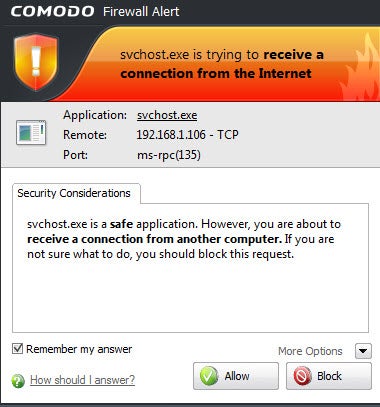
Every PC needs a good firewall, software that blocks applications on the computer from making unsafe outbound connections. A firewall is especially useful because Trojan horses typically try to make outbound connections; a firewall will also help to prevent your PC from becoming a zombie and doing an attacker's bidding. Comodo Firewall is a very good choice that blocks Trojan horses, stymies hackers attempting to take control of your PC, and wards off other threats. Note that using it takes a bit of work, since you have to let it know which programs are safe and should be allowed to have outbound connections. But setting that up is a small annoyance in light of the protection Comodo offers.

Stay Safe at Hotspots

When you use a Wi-Fi hotspot at a café, airport, or other public location, your PC and your privacy are particularly vulnerable. In such places it's exceptionally easy for anyone in the area to snoop on your activities as you browse the Web, especially since the advent of the free Firesheep extension that allows anyone without coding experience to steal your Facebook and Twitter identities as well as your logins at other sites. Guard your machine and your data with the following free software.

CyberGhost VPN

CyberGhost VPN free security download
The CyberGhost VPN utility sets up a virtual private network when you connect to the Internet. Simply install and run the software, and hop online. It hides your true IP address and connects you to anonymous servers. In fact, don't feel limited to using it at hotspots--you can also use it whenever you wish to guard your privacy while you surf the Internet.

Note, however, that CyberGhost VPN has a couple of limitations. First, the free version is good for only a 6-hour session or 1GB of downloads; after that, you'll have to restart the session. Second, it typically connects you to servers in Europe, so you may not be able to connect to, say, the U.S. version of Google. If those restrictions are deal-breakers, you could invest in the for-pay service. But if you're spending 6 hours at a time hunkered over your PC in a coffee shop, you may want to rethink your workflow anyway.

HTTPS Everywhere

HTTPS Everywhere free security download
The free Firefox add-in HTTPS Everywhere is designed to protect your privacy when you visit specific sites, including Facebook, Google Search, the New York Times, Paypal, Twitter, the Washington Post, and Wikipedia. It's an ideal tool for fending off Firesheep hackers. Note that it protects you only on sites that employ the HTTPS secure protocol, and that it can't help when you're using online services other than Web surfing, such as email and instant messaging. Still, it's a great way to stay safe at certain websites.

Hotspot Shield

Hotspot Shield free security download
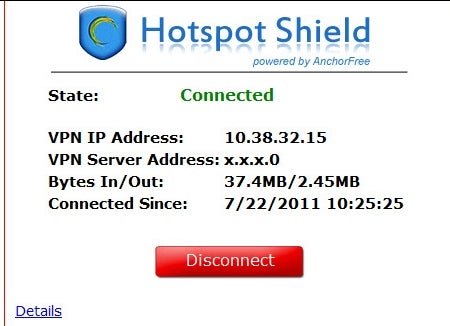
This freebie does exactly what its name suggests: Hotspot Shield protects you when you're connected to a hotspot, by encrypting all of your data packets. When you install it, make sure to decline the extra toolbars. And if you don't want your home page and default search engine to change, uncheck those options as well during installation.

TrackMeNot

TrackMeNot free security download
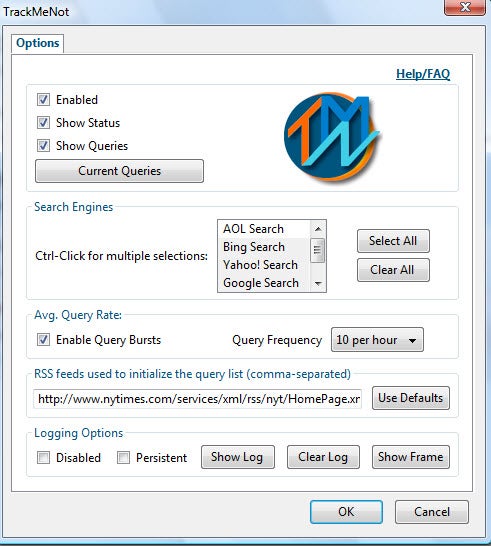
Every time you perform a Web search, you give up a bit of your privacy. Search engines track your search terms, and they can build profiles about your interests based on what you search for. The free TrackMeNot add-in for Firefox and TrackMeNot add-in for Chrome cleverly thwart such behavior, bombarding search engines with random search terms gleaned from news sites and creating so much "noise" about you that no profile can be created.

Secure Your PC

Finally, you'll want to secure your PC itself--its contents as well as any passwords you've stored on it. The next three freebies will do the work for you.

KeePass

KeePass free security download
You have plenty of passwords you use every month, for websites, ATMs, email services, and more. Most likely, you've stored them somewhere on your PC--which means that they can be stolen. Lock them away with KeePass, which hides them in an encrypted database so that only you can use them. In addition, the tool will create industrial-strength passwords for you, making it less likely that anyone will be able to break them.

FreeOTFE

FreeOTFE free security download
Worried that a snoop can walk by your PC when you're not around, and then access all of its files and applications? Concerned about what might happen to your files and data if you lose your laptop? FreeOTFE can encrypt files and folders--or your entire hard disk--and then decrypt the data on the fly as you use it. This utility isn't necessarily the easiest program to use, but it does its job nicely.

Secunia PSI

Secunia PSI free security download
You already know that you should take care of any vulnerabilities in your PC's operating system, but you might be surprised to learn that out-of-date applications can contain security flaws and pose significant problems too. If you have installed applications but neglected to regularly update and patch them, your computer may be at risk. Secunia PSI closes the holes through which malware can slither. The tool scans the software on your system, determines which programs are outdated, and then helps you install patches.
Read More...

New Worm Morto Using RDP to Infect Windows PCs

A new worm called Morto has begun making the rounds on the Internet in the last couple of days, infecting machines via RDP (Remote Desktop Protocol). The worm is generating a large amount of outbound RDP traffic on networks that have infected machines, and Morto is capable of compromising both servers and workstations running Windows.

Users who have seen Morto infections are reporting in Windows help forums that the worm is infecting machines that are completely patched and are running clean installations of Windows Server 2003.

"In a new windows 2003 R2 server, I'm noticing every few minutes, svshost.exe [sic] is opening a ton of outgoing TCP 3389 connections.  I ran an a/v scanner over it and it's clean.  Can it be hacked already???  has anyone seen this before?," one user asked in Microsoft's TechNet forum.

On Sunday, the SANS Internet Storm Center reported a huge spike in RDP scans in the last few days, as infected systems have been scanning networks and remote machines for open RDP services. One of the actions that the Morto worm takes once it's on a new machine is that it scans the local network for other PCs and servers to infect.

"A few weeks ago a diary posted by Dr. J pointed out a spike in port 3389 traffic.  Since then the sources have spiked ten fold.  This is a key indicator that there is an increase of infected hosts that are looking to exploit open RDP services." SANS handler Kevin Shortt said in a blog post.

Researchers at F-Secure said that Morto is the forst Internet worm to use RDP as an infection vector. Once it's on a new machine and has successfully found another PC to infect, it starts trying a long list of possible passwords for the RDP service.

"Once a machine gets infected, the Morto worm starts scanning the local network for machines that have Remote Desktop Connection enabled. This creates a lot of traffic for port 3389/TCP, which is the RDP port," F-Secure Chief Research Officer Mikko Hypponen said in a blog post.

"Once you are connected to a remote system, you can access the drives of that server via Windows shares like \\tsclient\c and \\tsclient\d for drives C: and D:, respectively. Monto uses this feature to copy itself to the target machine. It does this by creating a temporary drive under letter A: and copying a file called a.dll to it. The infection will create several new files on the system including \windows\system32\sens32.dll and \windows\offline web pages\cache.txt. Morto can be controlled remotely. This is done via several alternative servers, including jaifr.com and qfsl.net."


It's been quite a while since there was a large-scale Internet worm attack. Once upon a time, worms such as Blaster, Code Red and SQL Slammer were all the rage and found success clogging networks with enormous amounts of scanning traffic and other activity. But those kinds of events have become an anachronism as attackers have turned the attention to for-profit attacks.

nb : threatpost 

Read More...